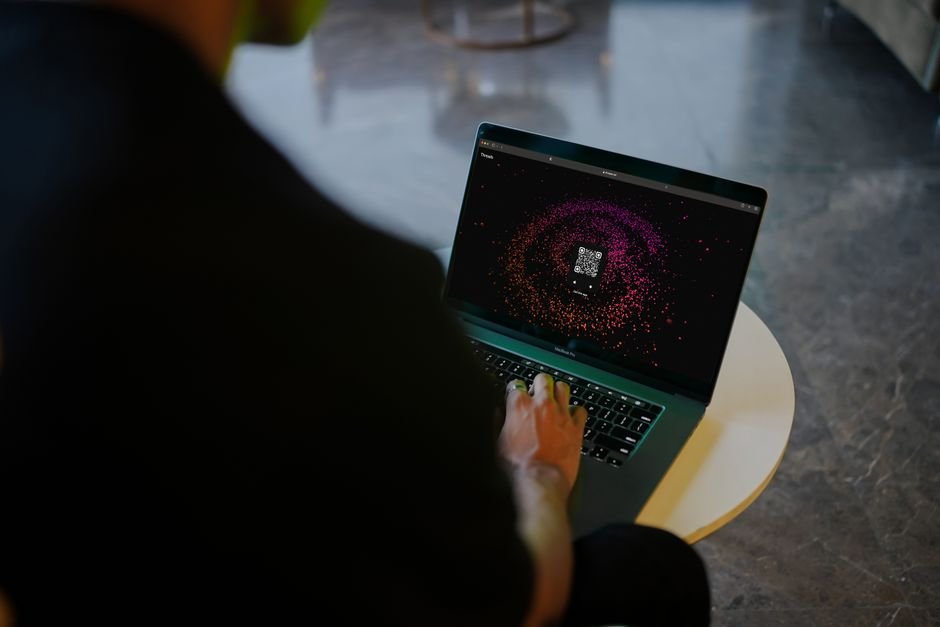
A reliable qr code generator converts plain text, website URLs, Wi-Fi credentials, or contact cards into a two-dimensional barcode that any modern smartphone camera scans in under a second. Instead of forcing people to type out clunky, 60-character links, you hand them a scannable graphic that directs them immediately.
Quick Response (QR) codes have moved far beyond the novelty phase. You see them on curbside pickup signs, restaurant menus, product packaging, and conference badges. Generating one takes five seconds. However, producing a code that prints cleanly, scans on the first try across a table, and survives real-world wear requires an understanding of how data density, module sizing, and error correction levels interact.
Last updated: September 12, 2026
Who Actually Needs a QR Code Generator?
QR codes solve a specific point of friction: bridging physical objects with web destinations. If someone is already sitting at a desktop browsing your site, showing them a QR code makes little sense. But if they are holding a physical item or standing in a store, a QR code eliminates manual typing mistakes entirely.
Four groups rely on this tool daily:
- Print designers and marketers: Adding trackable links to business cards, direct-mail postcards, trade show banners, and billboards without cluttering the layout.
- Restaurant and retail operators: Directing diners to digital menus, customer feedback forms, or instant guest Wi-Fi access without staff having to read out passwords over a counter.
- Logistics and field managers: Labeling warehouse bins, equipment, and asset tags so technicians can pull up maintenance histories or manuals on-site.
- Event organizers: Placing check-in tokens, digital agendas, and speaker feedback surveys on attendee badges and presentation slides.
How to Use This Free QR Code Generator
Creating your graphic is straightforward, but setting the right parameters upfront saves you from having to reprint hundreds of flyers later:
- Select your data type: Choose between a URL, plain text, email address, phone number, SMS prompt, or Wi-Fi network configuration.
- Input your content: Paste your destination link or raw text. If you are using a web address, include the full protocol (
https://) so the scanner opens your browser directly instead of running a web search. - Pick an error correction level: Choose between Low (7%), Medium (15%), Quartile (25%), or High (30%). If you plan to place a logo in the center or use the code outdoors where it might get scratched, pick Quartile (Q) or High (H).
- Customize appearance: Adjust your foreground and background colors. Always maintain strong contrast—dark modules over a light background remain the standard for camera sensors.
- Export in high resolution: Download your finished asset as an SVG for vector print work or a high-res PNG (at least 1000x1000 pixels) for digital layouts.
A Worked Example: Sizing and Error Correction in the Real World
Let's run through a practical print calculation. Suppose you run a local roastery and want to put a QR code on a 12-ounce coffee bag leading to a brewing guide: https://examplecoffee.com/brew-guide (38 characters).
First, look at the data load. At 38 alphanumeric characters with Medium (M) error correction, the code fits a Version 2 matrix measuring 25 by 25 modules (the individual black and white squares). If you add UTM tracking tags—turning the URL into https://examplecoffee.com/brew-guide?utm_source=bag&utm_medium=print&utm_campaign=winter2025 (85 characters)—the matrix jumps to Version 5 (37 by 37 modules).
Why does that matter? More modules packed into the same physical space means each individual square shrinks.
Here is the scan-distance formula used by commercial printers:
Minimum Code Width = Scanning Distance / 10
If a customer holds the coffee bag at a normal reading distance of 30 centimeters (roughly 12 inches), the printed code should measure at least 3 centimeters (1.18 inches) wide. With the short 38-character link, each module is roughly 1.2 millimeters wide—easy for any phone sensor to focus on. If you cram an unshortened 150-character link onto that same 3-centimeter sticker, module width drops below 0.6 millimeters. A basic smartphone camera will struggle to focus on that in dim kitchen lighting.
How QR Codes Actually Work Under the Hood
A QR code is not just a random checkerboard; it follows strict ISO/IEC 18004 specifications. Understanding the anatomy helps you troubleshoot failed scans.
Every standard QR code contains three large squares in the corners known as Finder Patterns. These tell the scanner where the code begins, where it ends, and what angle the camera is holding relative to the surface. Beside those patterns sit timing tracks—alternating black and white modules that establish the coordinate grid.
QR code sizes run from Version 1 up to Version 40. The formula for the grid dimensions is direct:
Grid Width in Modules = (Version Number * 4) + 17
A Version 1 code is 21x21 modules. A Version 40 code is a dense grid of 177x177 modules, capable of holding up to 7,089 numbers or 4,296 alphanumeric characters. The denser the version, the sharper your print must be.
The system relies on Reed-Solomon error correction, a mathematical algorithm that adds redundant parity blocks to the encoded data. If part of the barcode gets torn, smudged with grease, or covered by a center logo, the scanner uses the parity data to rebuild the missing pieces:
- Level L: Recovers up to 7% of lost data. Best for clean digital screens.
- Level M: Recovers up to 15% of lost data. The standard choice for marketing collateral.
- Level Q: Recovers up to 25% of lost data. Suited for restaurant tables, packaging, and high-traffic spots.
- Level H: Recovers up to 30% of lost data. Necessary if you want to place a logo in the middle of the matrix.
Static vs Dynamic QR Codes: Which Should You Use?
This qr code generator produces static codes by default. Your destination URL or text is written directly into the module arrangement. No intermediate redirect server is involved.
Static codes offer distinct advantages: they never expire, carry no monthly fees, and do not rely on third-party redirection services that might vanish in three years. Once printed, a static code functions as long as the destination page remains live on your server.
Dynamic codes work differently by storing a short redirect URL managed by a paid hosting service. When scanned, the service records visit metrics (device types, rough locations, timestamps) before sending the user to the destination. Dynamic codes allow you to edit destination links without reprinting your materials. The catch? If the service provider shuts down or your subscription lapses, your printed QR codes stop working immediately.
For permanent destinations like your home page, Wi-Fi details, or a business address, static codes are faster, permanent, and completely free.
Common Mistakes That Break QR Code Scans
Even with error correction turned on, bad layout decisions will ruin your scan rates. Avoid these pitfalls:
1. Inverting Contrast
Camera software searches for dark modules set against a lighter background. Printing white modules on dark blue or black paper might look sharp, but many native camera apps—especially on budget Android devices—fail to identify the corner finder patterns. Keep your background lighter than the modules.
2. Eliminating the "Quiet Zone"
Every QR code requires an empty margin around its perimeter called the quiet zone. By specification, this margin must measure at least four modules wide. If you butt the edge of your code directly against a flyer border, body copy, or an image, the scanner cannot tell where the artwork ends and the code begins.
3. Overloading the Character Count
Avoid pasting raw 250-character URLs stuffed with marketing tags into a small 1-inch print area. Shorten the link first if you want to keep tracking parameters. Fewer characters mean fewer modules, bigger squares, and much faster scans.
4. Printing on Reflective or Curved Surfaces
Placing a code across the curve of an aluminum can or under high-gloss lamination produces harsh glare under overhead lights. If reflections wipe out two finder patterns, the camera cannot read the code. Choose matte paper or non-reflective coatings whenever possible.
Honest Limitations to Keep in Mind
While an online qr code generator handles data encoding without errors, it cannot fix bad physical environments. Barcodes cannot overcome poor lighting, dirty phone lenses, or people attempting to scan small signs from across the street.
Static codes also do not include conversion analytics or password protection. If you need privacy-compliant scan metrics, geo-targeted destinations, or role-based access, you will need an enterprise dynamic tracking platform instead. Before committing to a large run of 5,000 units, print a sample on an office machine and scan it using two different smartphones under typical lighting.
Frequently Asked Questions
Do QR codes generated here ever expire?
No. Static QR codes do not have expiration dates because the data is hardcoded into the black-and-white grid. As long as your destination link stays active online, the printed code will work indefinitely.
How small can I print a QR code and still have it work?
The practical minimum size for reliable phone scanning is 2 x 2 centimeters (0.8 x 0.8 inches). For high-density codes containing over 100 characters, increase that baseline to at least 3 x 3 centimeters (1.2 x 1.2 inches).
Can I safely put my logo in the center of a QR code?
Yes, but you must set the error correction level to High (H), which tolerates up to 30% data loss. Make sure your graphic occupies no more than 15% to 20% of the total matrix area, and keep it completely clear of the three corner finder patterns.
Why won't my phone camera scan my custom QR code?
The three most frequent culprits are low color contrast, an inverted palette (light code on dark ground), or a missing quiet zone margin. Also confirm that the printed code is sharp and not pixelated from low-resolution export files.
What is the difference between a high resolution QR code and a standard one?
Standard web images usually export at 72 DPI, which displays fine on screens but prints with fuzzy edges. A high-resolution QR code exports at 300 DPI or in vector SVG format, keeping the edges of every black and white module sharp on commercial presses.
Take two minutes to test your newly exported code with a phone before sending your artwork to the print shop. Verifying the scan now prevents expensive reprints later.