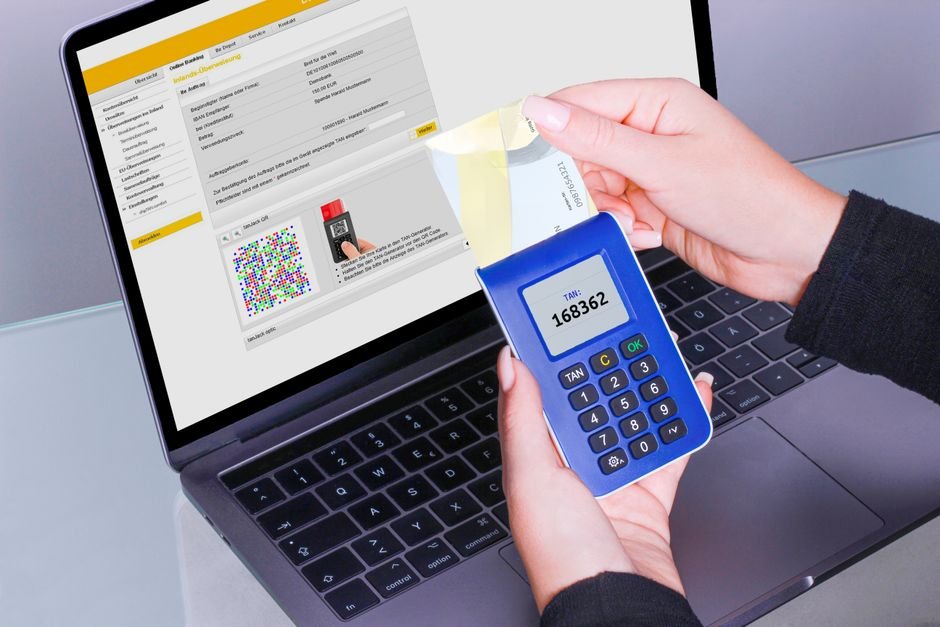
A secure password generator creates randomized strings of characters to protect your online accounts from unauthorized access. By mixing uppercase and lowercase letters, numbers, and symbols, it removes predictable human patterns and blocks automated hacking scripts.
Think about the last password you created yourself. Was it a variation of a pet's name, a memorable date, or a favorite travel destination? Maybe you added an exclamation point or swapped an "s" for a "5" to meet security rules. Most of us do this because our brains are wired to remember patterns. Hackers know this, too. They use software to exploit these habits, cracking predictable passwords in seconds. Here is how you can break that cycle and secure your digital footprint.
Last updated: September 10, 2026
How a Password Generator Solves the "Human Problem"
Why use automated tools to create passwords? Humans are simply not good at randomness. Even when we try to create a random string, we favor certain keyboard paths, familiar letter combinations, and predictable number sequences. We also reuse passwords across multiple sites because remembering fifty different complex strings is impossible.
This is where an online password generator becomes useful. It does not rely on memory, sentimentality, or keyboard patterns. Instead, it uses mathematical randomness to assemble characters. This tool is essential for:
- Remote Workers: Employees who access sensitive corporate networks, databases, or client information from home.
- Financial App Users: Anyone managing online banking, investment portfolios, or cryptocurrency wallets where a single breach leads to financial loss.
- Smart Home Owners: People setting up security cameras, smart locks, or home Wi-Fi routers that are vulnerable to default-credential scans.
- System Administrators: Tech professionals who need to provision secure, unique credentials for servers, databases, and API keys.
By shifting the burden of password creation from your brain to a randomized algorithm, you raise the barrier for attackers. You no longer have to worry about whether your password is "clever" enough. It is secure by design.
How the Interactive Tool Above Works
Using the tool at the top of this page is straightforward. Understanding each setting helps you tailor your credentials to specific website requirements. Here is how to configure your settings for better security.
Step 1: Determine Your Password Length
Length is the most important factor in password strength. While some legacy systems only require 8 characters, modern security standards recommend at least 12 to 16 characters. Adjusting the slider to 16 or more characters significantly increases the difficulty of a brute-force attack.
Step 2: Select Character Sets
You can toggle four character groups: uppercase letters (A-Z), lowercase letters (a-z), digits (0-9), and symbols (like @, #, $, %). For maximum security, we recommend leaving all four enabled. If a specific website does not allow symbols, you can turn them off here.
Step 3: Exclude Ambiguous Characters
Have you ever struggled to tell if a character was a lowercase "l", an uppercase "I", or the number "1"? Or perhaps you confused a "0" with an "O". Our tool allows you to exclude these lookalike characters. This makes typing your password manually much easier when autofill is not available.
Step 4: Generate and Copy
Once you have configured your settings, the tool displays a unique string. Click the copy button to save it to your clipboard, then paste it into your account registration form. Because the generation happens locally, your new credential is never sent over the internet or saved on our servers.
The Math: How Password Strength is Calculated
How do we measure the strength of a randomized password? In cybersecurity, we use a concept called cryptographic entropy, measured in bits. Entropy represents how many guesses an attacker would have to make, on average, to crack a password.
To calculate this, we use a formula based on information theory:
Entropy (E) = L × log₂(R)
Where:
- L is the length of the password (number of characters).
- R is the size of the pool of available characters.
Let's look at a real-world example to see how this math works. Imagine we want to generate a random password using two different configurations.
Example A: A Short, Simple Password
If you generate an 8-character password using only lowercase letters, your pool size (R) is 26. Using our formula: E = 8 × log₂(26). Since log₂(26) is roughly 4.7, our calculation is: 8 × 4.7 = 37.6 bits of entropy.
Example B: A Long, Complex Password
Now, let's use our password generator to create a 16-character password using uppercase letters, lowercase letters, numbers, and 15 common symbols. Your total pool size (R) is 77. Using our formula: E = 16 × log₂(77). Since log₂(77) is roughly 6.27, our calculation is: 16 × 6.27 = 100.3 bits of entropy.
What do these numbers mean? A password with 37.6 bits of entropy has about 200 billion combinations. A modern graphics card can test billions of combinations per second, meaning Example A could be cracked in minutes. However, Example B has 1.2 sextillion combinations. Even a massive network of supercomputers would take billions of years to crack it. This is why length and complexity are critical.
Common Mistakes to Avoid When Managing Credentials
Even if you use a high-quality generator to create strong passwords, your accounts can still be vulnerable if you make common operational mistakes.
1. Reusing the Same Generated Password
Once you find a secure, 20-character password, it is tempting to use it for your email, your bank, and your shopping sites. Do not do this. If the shopping site experiences a data breach, hackers will immediately try those same login credentials on banking portals. This is called "credential stuffing," and it is effective because of widespread password reuse.
2. Storing Passwords in Plain Text
Generating a strong password does no good if you write it on a sticky note or save it in an unencrypted file named "passwords.txt" on your desktop. Anyone with physical access to your desk or remote malware access to your computer can steal your credentials.
3. Falling for "Leetspeak" Traps
Many people believe they can create a secure password manually by replacing letters with numbers—for example, turning "Password" into "P@ssw0rd1!". Hacking tools are explicitly programmed to check these substitutions. Using predictable patterns with minor character replacements does not significantly increase your entropy; it just makes the password harder for you to remember.
Honest Limitations: What a Generator Cannot Do
While our tool is effective at stopping credential-guessing and brute-force attacks, it is not a cure-all for every cybersecurity threat. You should understand the limits of what a generated password can protect against.
First, a strong password cannot protect you from phishing. If you receive a deceptive email pretending to be your bank and you paste your 24-character, high-entropy password into a fake login form, the attacker has your credentials. Always double-check the URL of any website asking for your login.
Second, if your computer is infected with a keylogger, the software can record the keys you press or watch your clipboard. No password can defend against a compromised operating system. Keep your antivirus software updated and avoid downloading suspicious files.
Finally, your accounts are only as secure as the databases storing them. If a service provider stores your passwords in plaintext, your data can be leaked in a breach. To mitigate this risk, always enable Multi-Factor Authentication (MFA) on your accounts. MFA acts as a safety net if your password is compromised.
Frequently Asked Questions
How long does it take to crack a 12-character password?
The time it takes depends on its complexity. A 12-character password using only lowercase letters can be cracked in a few days by a powerful home computer. However, a 12-character password that mixes uppercase, lowercase, numbers, and symbols has over 95 trillion combinations and would take a standard attacker several decades to crack.
Is an online password generator safe to use?
Yes, provided the tool runs locally in your web browser. Our generator uses client-side JavaScript, meaning the random strings are created directly on your device. No data is transmitted over the internet or shared with third parties. For peace of mind, you can disconnect your internet connection, generate your password, and copy it before going back online.
What is the difference between a password and a passphrase?
A password is a single, randomized string of characters. A passphrase is a sequence of random words joined together. Passphrases are often easier for humans to memorize while maintaining high entropy, whereas random passwords are ideal for use with a dedicated password manager where memory is not required.
How should I store all of my generated passwords?
The safest way to store complex, unique credentials is to use a dedicated password manager. These applications act as an encrypted digital vault, allowing you to store hundreds of different credentials behind one master password. Most managers also include a built-in generator, making the entire process automatic.
Should I change my passwords every 90 days?
Modern cybersecurity guidelines from organizations like NIST have moved away from mandatory, frequent password rotation. Forcing users to change passwords frequently usually results in them choosing weaker, predictable variations of their old ones. Instead, you should only change a generated password if you suspect it has been compromised in a data breach.
Take Control of Your Digital Security
Securing your online presence does not have to be an overwhelming chore. By stepping away from predictable human habits and using randomized credentials, you close the easiest gateway used by cybercriminals. Adjust the settings on the tool above, create a set of strong credentials, and start securing your most important accounts today. Pair your new passwords with a reliable manager and multi-factor authentication to dramatically reduce your risk of identity theft.